The Simple Watercolor Floral Wedding Card: A Foundation for Elegant Wedding Communication
Planning a wedding involves orchestrating countless details into a cohesive and beautiful event. The first tangible piece of this process for many guests is the wedding invitation suite. Here, the Simple Watercolor Floral Wedding Card and its companion Minimalist Wedding Invitation Card Template emerge not merely as graphic files, but as a functional starting point for a critical workflow. This template is a practical asset, designed to be integrated into the planning and execution phase where style meets logistics. It bridges the initial creative vision and the physical production of essential stationery.
Defining the Role in the Wedding Planning Process
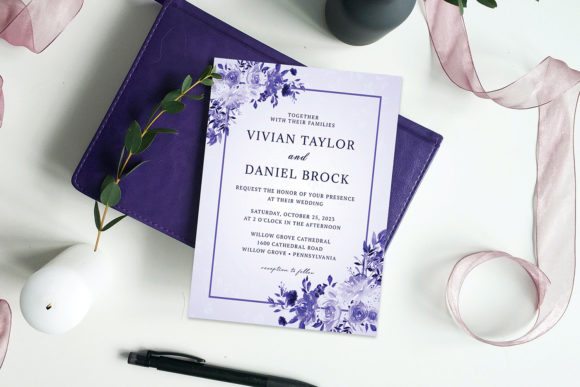
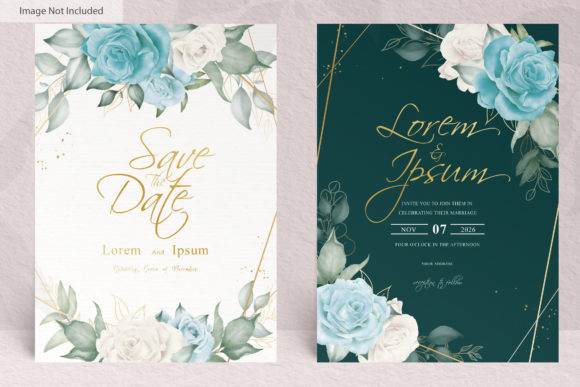
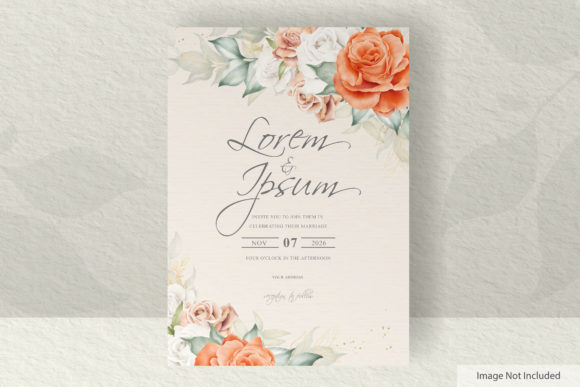
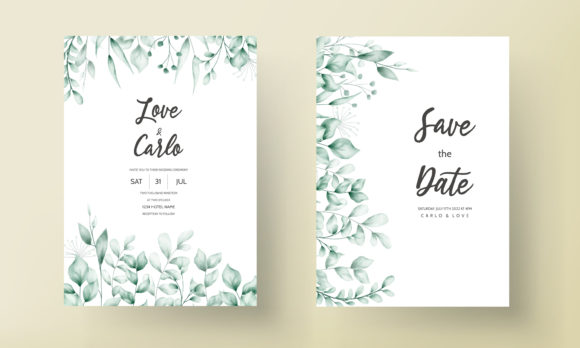
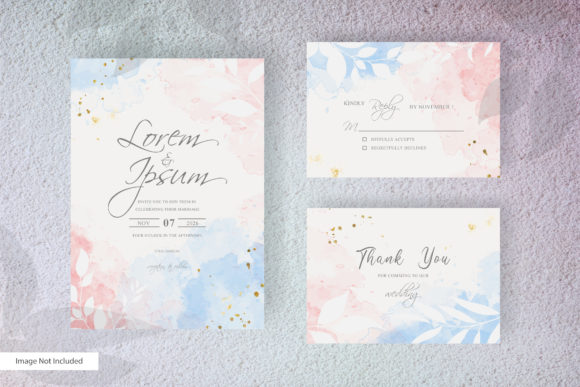
The Simple Watercolor Floral Wedding Card is a digitally editable template featuring a delicate watercolor floral and minimalist background. It is specifically engineered for the production of a 5×7 inch invitation card, alongside coordinated 5×3.5 inch RSVP and greeting cards. In a broader process, its place is early and pivotal. After establishing a wedding’s theme, color palette, and aesthetic tone, the couple or planner must translate that vision into printed materials. This template acts as that translation tool. It is the step between conceptual mood boards and the physical items that will be mailed to guests, setting the formal tone for the event.
This integration happens before the bulk of vendor coordination and guest logistics. By finalizing the invitation design early using this editable foundation, you create a consistent visual anchor. This anchor can then influence other design decisions, such as wedding website graphics, program layouts, or even signage, ensuring a harmonious brand across all touchpoints of your wedding.
Workflow Integration and Practical Implementation
Adopting this template into your workflow requires understanding its components and how they interact with your resources. The provided files—Adobe Illustrator (.ai), EPS, and JPG—are not just formats; they are gateways to different stages of production. The Editable Customizable Text Color and use of only free fonts are critical features for seamless integration. They eliminate the common workflow roadblocks of font licensing issues and restrictive color matching, allowing you to align the text perfectly with your chosen wedding colors without extra cost or software conflict.
A practical implementation tip is to begin with the JPG files for a quick review. Use them to gain team approval from partners or family members on the overall look. Then, move into the core editing phase within Adobe Illustrator 2018 or later. Here, the process is hands-on: you replace placeholder text with your venue, date, and names. You adjust the text color to match your palette. Because the floral watercolor background is a fixed artistic element, your workflow focuses solely on customization of information, ensuring efficiency and maintaining the design’s inherent quality.
The inclusion of a Printable template with Bleed Area is a direct intervention into the quality control stage. This isn't just an extra graphic; it is a pre-production safeguard. When you send the final AI or EPS file to a professional printer or proceed to a home print setup, this bleed area ensures no unwanted white borders appear after cutting. This feature handles a technical detail that many DIY designers overlook, preventing a last-minute disappointment and re-print, thereby protecting your timeline and budget.
Interacting with Other Tools and Decisions
The utility of the Simple Watercolor Floral Wedding Card template is amplified by how it interacts with other tools and decisions in your planning ecosystem. Its Easy to Use nature assumes you have access to Adobe Illustrator, a standard in many creative and professional workflows. If you are a designer, small business owner offering wedding services, or a productivity-minded couple, this compatibility with a major professional software suite means the template fits directly into an existing toolset without requiring new, unfamiliar applications.
For those outsourcing, the EPS and AI files are the industry-standard formats a commercial printer expects. This compatibility smooths the handoff. Your decision on a printer—whether an online service, a local print shop, or a home printer—is supported by the template’s ready-for-production state. Furthermore, the minimalist and floral design interacts with your paper choice. A simple, elegant design like this often pairs best with high-quality matte or slightly textured paper, guiding that material selection decision toward options that enhance the watercolor effect rather than clash with it.
Organizing the Production Sequence
A coherent workflow around this template might follow a sequence like this: First, finalize all textual details (dates, times, addresses, wording) in a simple document. Second, open the AI file and input this text, adjusting colors. Third, export high-resolution PDFs or preserve the AI files for printing. Fourth, use the coordinated RSVP and Greeting card files to ensure the entire suite is visually unified. This organization prevents the common mistake of designing cards in isolation, which can lead to stylistic inconsistencies between the invitation and its accompanying cards.
The 5×3.5 Inches RSVP card, for example, is not a separate task; it is an extension of the same file set. By editing it within the same software session as the main invitation, you guarantee font size, color, and spacing remain perfectly consistent. This attention to detail results in a professional-looking suite that feels intentionally crafted, a subtle but important communication of the wedding’s overall care and quality.
Long-Term Use and Beyond the Wedding Day
The applications of this template extend beyond the single wedding event, speaking to its value for creators and entrepreneurs. For a blogger, educator, or freelancer in the wedding industry, this template can be a base for creating multiple client invitations, with each customization creating a unique product from the same reliable foundation. This supports business efficiency and brand consistency if you offer design services. The template’s non-dated, classic floral aesthetic makes it reusable for different clients across seasons.
For personal long-term use, the editable nature means you can archive your customized file. If you need to re-print a few copies for a memory book or as a gift for parents after the wedding, you have the ready file without needing to recreate the design. This is a practical consideration for preserving the sentimental item without future technical hassle.
Key Considerations for Smooth Integration
To integrate the Simple Watercolor Floral Wedding Card smoothly into your work, a few observations are crucial. Ensure your version of Adobe Illustrator is 2018 or later to avoid file compatibility issues—this is a basic but vital preparation step. When customizing, stick to the free fonts suggested or similarly available ones to maintain the intended minimalist elegance and avoid layout distortion. Use the JPG Template Card Detail files as a quick-reference guide for layout when discussing with non-designers.
Finally, view this template not as a finished product, but as a high-quality raw material. Your workflow inputs—your personal information, your color choices, your printer selection—transform it into the final output. This mindset helps you leverage its strengths: the professional bleed area, the coordinated card sizes, and the tasteful watercolor art, while focusing your energy on the personalization that makes it uniquely yours. By doing so, you turn a digital asset into a central, smoothly executed component of your larger wedding planning journey, achieving a beautiful result through a clear, manageable process.