Watercolor Flowers Wedding Card Set: Bringing Hand-Painted Charm to Your Celebrations
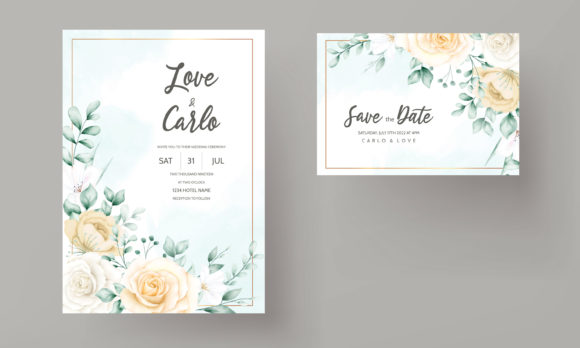
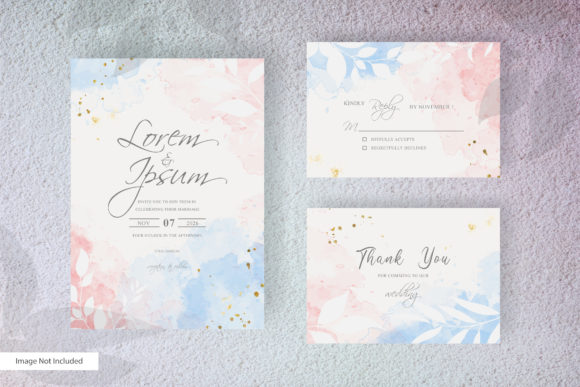
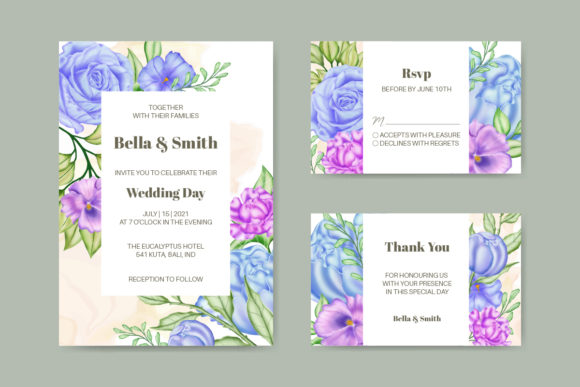
There’s a quiet moment when you hold a wedding invitation in your hands—the paper’s texture, the way the colors bleed softly into one another—and you feel the care that went into it. That’s the kind of experience the Watercolor Flowers Wedding Card Set is designed to create. It’s not just a template; it’s a ready-to-personalize invitation suite built around elegant, hand-painted floral artwork. Whether you’re planning a rustic garden ceremony, a boho birthday brunch, or a milestone anniversary party, the soft washes of color and organic petal shapes give your stationery a custom, artisan feel without the custom price tag.
The set includes two essential file formats: an editable EPS file and a high-resolution JPEG file. For anyone who’s ever struggled with clunky design tools or paid a designer for small text changes, the promise of “easy to use and edit” matters deeply. You can open the EPS in vector software, adjust the wording, change the date, and even recolor specific floral elements. The JPEG gives you a quick, print-ready option when you need something fast. Because the text color is customizable, your invitation can shift from romantic blush lettering to moody charcoal typography in seconds—adapting to the mood of any event.
What Makes This Watercolor Floral Design Stand Out?
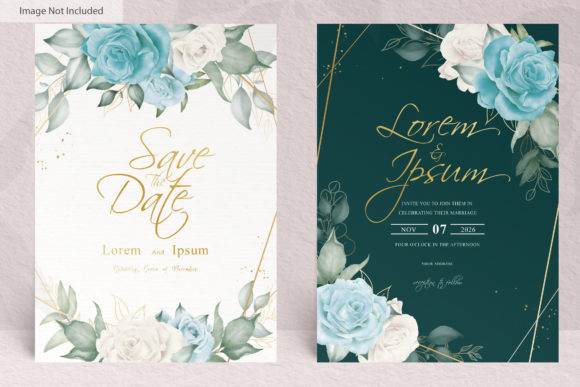
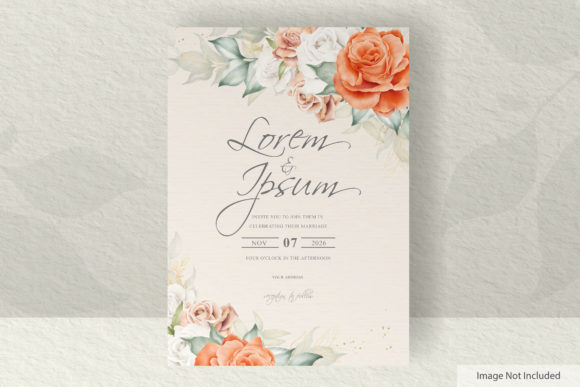
Digital invitation templates are everywhere, but many feel stiff or overly generic. The difference here lies in the artistic quality of the watercolor flowers. The petals aren’t perfectly uniform; they have the gentle imperfections of real brushwork. Drips, blooms, and translucency layers create depth that mimics a physical painting. When printed on textured cardstock like cotton or linen, the result is almost indistinguishable from an original watercolor piece. It’s that sense of craft that helps your invitation feel more personal—even when you’ve customized it yourself in an afternoon.
The set is built around a central floral motif that frames your text. It works for a formal wedding, but because the flowers aren’t stylized toward any single season, you can use it across spring tulip bridal showers, summer garden parties, or autumn birthday celebrations. The organic composition leaves enough white space for your details without feeling crowded, and the layout naturally guides the reader’s eye from the main event line down to the date and venue.
From Save-the-Dates to Thank You Cards: Where the Set Truly Shines
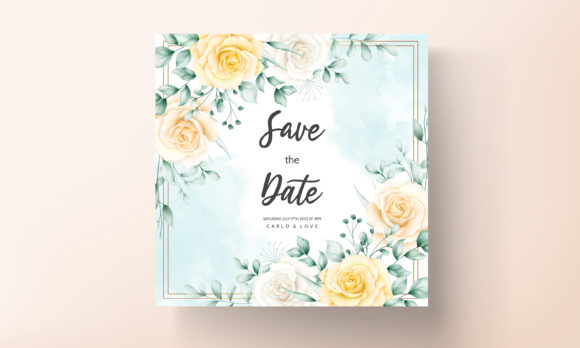
Most people start by thinking about the wedding day, but the Watercolor Flowers Wedding Card Set extends far beyond a single piece of paper. Couples often use the same floral design across an entire suite of stationery to create a cohesive visual story. You might pull the JPEG into a simple photo editor to create matching save-the-date magnets, then use the EPS file to build a detailed invitation with directions and RSVP details. After the wedding, the same watercolor border becomes the background for a digital thank you card sent via email or shared on social media.
Because you have both a fully editable vector file and a flat image, you can adapt the design to different formats without losing quality. Scale it down for a small insert card that lists accommodations or directions. Enlarge a single bloom to use as a subtle watermark on a menu for the reception. Event planners and DIY couples alike appreciate this flexibility—you’re not buying five separate templates; you’re getting a foundation you can reuse.
Beyond Weddings: Surprising Ways to Use the Watercolor Flowers Kit
The name says “wedding,” but people quickly discover the design is neutral enough for many milestones. A podcaster I know used the floral JPEG to create digital invitations for her 40th birthday brunch, adding fun emojis and playful cursive text. A yoga studio owner printed the design on kraft paper for a spring equinox workshop invitation, replacing the traditional wedding wording with serene, grounding language. In each case, the watercolor flowers shifted effortlessly into a new context because the artwork is gentle, not overtly bridal.
Some other real-world applications I’ve seen or tried myself include:
- Baby shower invitations—swap in pastel pinks and blues by recoloring a few layers in the EPS file.
- Graduation party flyers—pair the floral frame with bold, modern sans-serif fonts for a fresh contrast.
- Charity gala or fundraiser inserts—the artistic quality elevates the perceived value of the event when tickets are priced at a premium.
- Small business product tags—miniaturize the floral artwork for a boutique clothing label or handmade soap wrap.
- Blog or social media graphics—use a cropped section of the JPEG as a beautiful, seasonal backdrop for quotes or announcements.
These aren’t theoretical. The moment you view the design as a modular asset rather than a one-purpose card, its utility multiplies. Freelancers who create content for multiple clients can keep the set in their resource library and pull it out whenever a project calls for a soft, natural aesthetic.
How Small Business Owners and Creators Can Maximize the Files
If you run a stationery shop or an Etsy store, the commercial value of a high-quality, editable floral set is clear. You can use the EPS file to build customized invitation lines for clients, changing text and minor color accents while keeping the core artistic layout. Because the source file is vector, you can resize it for A7 cards, 5x7 prints, or even large format signage without pixelation—something the JPEG alone won’t handle well at extreme sizes.
Freelance graphic designers who offer affordable wedding packages can use this set as a starting point, saving hours of illustration time. Instead of painting watercolor blooms from scratch, they open the EPS, adjust text placeholders, tweak the color palette to match a couple’s theme, and deliver a polished, print-ready file. The customizable text color feature means you can achieve striking contrasts—white text over deep burgundy blooms, for instance—with just a few clicks in Illustrator or Affinity Designer.
Even non-designers benefit. A small bakery owner with zero design experience downloaded the JPEG version of the Watercolor Flowers Wedding Card Set, used a free online tool to add text for a Mother’s Day catering menu, and printed it on heavy cardstock for their shop window. It looked professional enough that customers asked who designed it. That’s the practical outcome of a truly accessible template: it bridges the gap between “I have an idea” and “I have something beautiful in my hands.”
A Closer Look at the Included EPS and JPEG Files
Understanding what you’re downloading matters. The EPS file is an Encapsulated PostScript vector file. It maintains crisp lines at any size and allows you to select individual elements—say, just the rose blooms or the background leaves—and edit them independently. You can recolor, rearrange, or delete parts without degrading the rest. Most professional design programs, including Adobe Illustrator, CorelDRAW, and free alternatives like Inkscape, can open EPS files. If you’ve never worked with vectors, there’s a mild learning curve, but the reward is total control.
The JPEG file is the immediate, no-fuss option. It’s a flattened image with the artwork and placeholder text already composed. You can insert it into Canva, Word, Pages, or even a basic photo viewer and overlay your own text on top. While the JPEG isn’t editable in the same way—you can’t remove the existing sample text or recolor individual flowers without advanced tools—it’s perfect when you’re in a rush. For a birthday party next weekend, the JPEG gets you from computer to printer faster than a custom EPS redesign.
Having both means you’re not locked into a single workflow. Start with the JPEG for quick invites, then deep-dive into the EPS when you need matching RSVPs with different details. It’s a thoughtful inclusion that respects varied skill levels.
Making It Your Own: Customizing Text and Color with Ease
The “easy to use and edit” claim isn’t marketing jargon. For the EPS file, you’ll typically find well-labeled layers or grouped objects. Select the text layer, type your details, pick a new color from the swatch panel, and the rest of the artwork remains untouched. If you’d rather have rose gold text than navy, just change the hex code. If the sample date doesn’t suit, type over it. It’s as simple as that.
The customizable text color also means you can coordinate with ribbon colors, envelope liners, or the dress code. A formal black-tie wedding might use metallic gold lettering against white blooms, while a backyard barbecue birthday could go with a sunny yellow type on a rustic wood-inspired background. The floral illustration serves as a beautiful container, and your text choices bring the personality.
For CMYK printing at a professional shop, you’ll want to work in a design program that lets you set color profiles. The EPS file gives you that control. If you’re printing at home, test a small sample first because home printers handle watercolor gradients differently depending on paper type and ink settings. Even with that small adjustment, the editing process is straightforward enough for a motivated beginner.
What to Think About Before You Download or Print
Before you hand over money or even a free download link, a few practical considerations can save frustration. First, check your software compatibility. EPS files need a vector editor; if you don’t have one and aren’t willing to learn, the JPEG may be your only usable file. Second, consider the print method. Watercolor designs look best on uncoated, matte, or lightly textured paper that absorbs ink naturally. Glossy photo paper can make the gradients look flat or overly vibrant, losing the soft watercolor feel.
Resolution is another factor. The JPEG is likely provided at 300 dpi for a standard card size, which is ideal for most home and online printers. But if you plan to enlarge the design to poster size, rely on the EPS file because scaling a JPEG beyond its original dimensions will introduce blur. Also, if you’re using the design for commercial client work, verify the licensing terms. Many template sets allow personal and small business use but restrict reselling the template files themselves. Understanding those boundaries protects you legally.
Finally, think about how much time you really have. The EPS route gives you incredible creative freedom, but if you’re three days out from a birthday party, the JPEG plus a quick text overlay might be the wiser, stress-free choice. There’s no wrong answer—just one that matches your timeline and comfort level.
Practical Scenarios: How Different People Use This Invitation Suite
Real examples ground these ideas. A marketing freelancer I know needed an invitation for a client appreciation event at a botanical garden. She downloaded the Watercolor Flowers Wedding Card Set, opened the EPS, swapped the text to “You’re Invited,” matched the lettering color to her client’s brand green, and printed 40 copies on seeded paper. The result looked bespoke and cost a fraction of hiring an illustrator.
Another case: a couple planning a rustic barn wedding used the JPEG to create a Facebook event header. They cropped the top portion of the floral frame, added their names and date in a free mobile app, and uploaded it within ten minutes. For the actual mailed invitations, they took the time to edit the EPS, adding a map illustration on the back and customizing each line in an elegant script. The dual-file setup let them move fast where they needed to and slow down where it mattered.
Hobbyists also find value. A retiree who runs a small craft blog used the design as a downloadable freebie for her email subscribers, adding the blog name and a short message. Because she could recolor the flowers to match her brand’s lavender and sage palette, the card felt like an extension of her blog rather than a random clip art insert.
In every scenario, the Watercolor Flowers Wedding Card Set served as a flexible, high-quality canvas—and the users’ own creativity did the rest. That’s the hallmark of a well-designed template: it doesn’t dictate the final outcome, it supports it.
Getting the Most from Your Floral Card Set Without Overcomplicating Things
One of the quiet advantages of this particular set is that it encourages restraint. The watercolor floral work is already detailed; you don’t need to add much else. A beginner’s mistake is layering too many decorative fonts, extra borders, or conflicting color schemes on top of a design that already carries its own weight. Keep your text clean and legible. Let the flowers speak. Often, a simple center-aligned text block in a serif or semi-calligraphy font is all it takes to make the card feel complete.
If you’re printing at home, try a test sheet on plain copy paper first to check alignment. Then switch to your good cardstock. If you’re sending the JPEG to a print shop, ask them to print a single proof before running the entire batch—especially if you’ve never used that shop before. Colors can shift between screen and paper, and a proof costs far less than 50 misprinted cards.
For digital-only use, export your EPS edits as a high-quality PDF or a new JPEG at 72 dpi if file size matters for email. When sending e-invitations, remember that many email clients block large images, so keep the file size under 1 MB and use a standard subject line that doesn’t trigger spam filters. The design itself will capture attention; the delivery just needs to be simple and reliable.
The Watercolor Flowers Wedding Card Set fits into a busy life precisely because it doesn’t demand you to be a designer. It respects your time, gives you exactly two file options—each with a clear purpose—and trusts you to make the right call for your event. Whether you’re announcing a union, a birthday, a launch, or a long-awaited reunion, these hand-painted petals carry the message with a softness that feels both celebratory and sincere.